Sep 29, 2026Buying Guides
Why Your Monitor Keeps Blinking Through a Hub - and How to Pick One That Doesn't
Monitor flickering through your hub? Bandwidth, EMI and power negotiation are the usual causes - here is the buyer checklist that ends it.
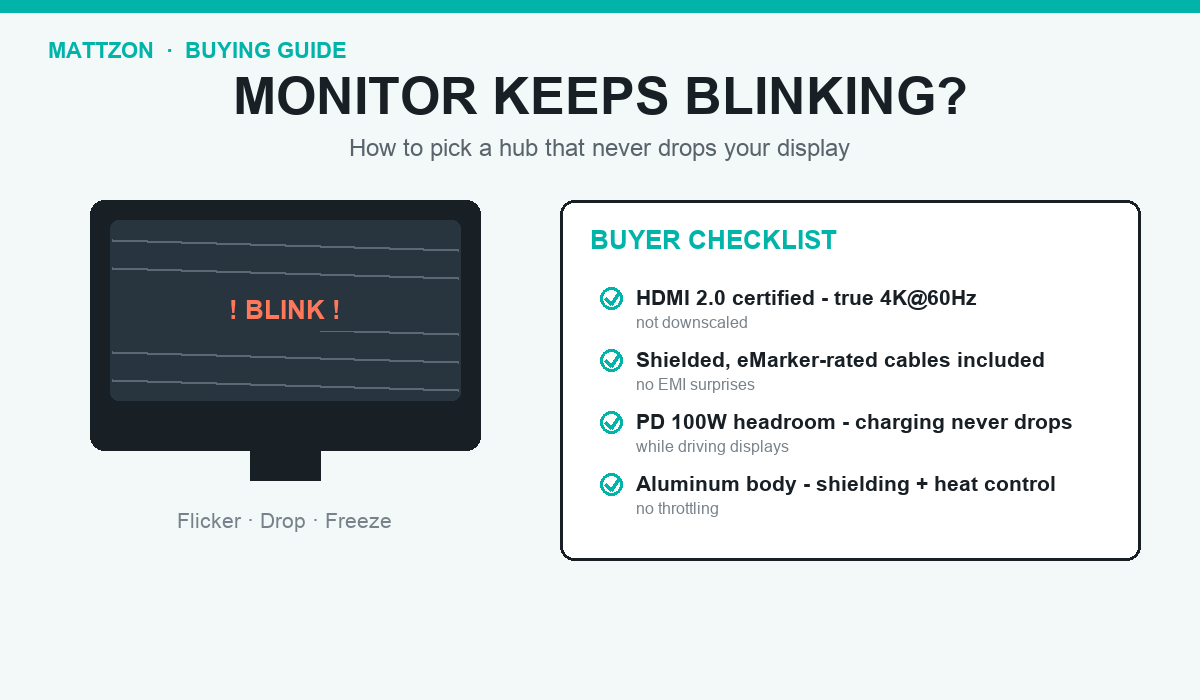
The screen blinks. The external monitor goes black for two seconds, comes back, and then does it again - every few minutes, all day. In IT communities and buyer forums, this is one of the most commonly reported USB-C hub problems, and it rarely gets a proper explanation from the seller.
The causes are well understood. First, bandwidth: when a hub drives two displays and a fast SSD at the same time, the data can simply exceed what the hub or its cable can carry, and the display link drops to cope. Second, electromagnetic interference: high-speed signals through an unshielded or damaged cable radiate into neighboring lines, and the monitor pays the price. Third, power negotiation: when a hub cannot draw or deliver enough wattage, video is the first thing it sacrifices.
For buyers, this translates into a short checklist. Pick a hub whose video specification matches your monitors natively - a true HDMI 2.0 port at 4K@60Hz, not a downscaled compromise. Make sure certified, shielded cables are included rather than improvised. Check that the hub's power delivery has headroom: a 100W pass-through design keeps charging stable even with displays running. And prefer an aluminum body - it shields the internal lines and controls heat at the same time.
Mattzon builds its hub line against this checklist as standard. From compact 4-in-1 travel designs to 15-in-1 SSD storage stations with 8K DisplayPort, every model ships with HDMI 2.0 certified outputs, shielded cables, and aluminum housings - backed by an in-house factory with 89%+ private mold products, no minimum order quantity and lead times from 3 to 25 days.
If blinking screens are showing up in your customer reviews, it is time to change suppliers, not monitors. Contact Mattzon for samples and test the display stability yourself.