Sep 12, 2026Buying Guides
SSD Enclosure Buying Guide: How to Choose the Right M.2 NVMe Enclosure
M.2, SATA, NVMe — enclosure shopping gets confusing fast. Learn how to match drive type, USB speed, thermal design and cable to your actual workload.
An external drive does not always need to be bought as a complete product.
If you already have a spare SSD or hard drive, a good drive enclosure can turn it into portable external storage in just a few minutes.
But choosing the right enclosure is more than finding one with a USB-C connector. You need to check the drive type, interface, supported speed, heat management and compatibility before buying.
First, Match the Enclosure to Your Drive
This is the most important step. A drive enclosure must physically and electronically match the drive inside it.
Common drive types include 2.5-inch SATA SSDs, 2.5-inch SATA HDDs, M.2 SATA SSDs and M.2 NVMe SSDs.
M.2 is particularly confusing, because an M.2 SSD is not necessarily NVMe. M.2 describes the physical form factor, while SATA and NVMe refer to different storage interfaces. An M.2 SATA SSD and an M.2 NVMe SSD may look similar, but they require different enclosure designs.
So before buying an enclosure, check the exact interface of your drive.
SATA and NVMe Are Not the Same
This is one of the most common mistakes when buying an SSD enclosure. A SATA enclosure is designed for SATA-based drives, while an NVMe enclosure is designed for PCIe/NVMe SSDs.
Some enclosures support both, but do not assume that every M.2 enclosure is compatible with every M.2 SSD.
If you are not sure which SSD you have, check the model number on the SSD manufacturer's website before ordering an enclosure.
USB Speed Sets the Ceiling
Once the drive interface is confirmed, look at the USB interface. You will see enclosures described as USB 3.0, USB 3.2 Gen 1, USB 3.2 Gen 2, USB 3.2 Gen 2x2 or USB4 — and these labels represent very different performance levels, from 5Gbps up to 40Gbps and beyond.
A fast SSD inside a slow enclosure cannot reach its full potential. Put a high-performance NVMe SSD into a basic 5Gbps enclosure and the SSD may be fast, but the enclosure becomes the limiting factor.
USB-C Is the Connector, Not the Speed
Many modern SSD enclosures use USB-C because it is compact and reversible. But USB-C is the connector type, not the speed specification — two USB-C enclosures can deliver completely different performance.
When comparing products, check the data rate, supported protocol, cable specification, host compatibility and SSD compatibility. And if an enclosure is advertised as 10Gbps or 20Gbps, make sure the included cable can support the same level of performance.
Heat Management Matters for NVMe SSDs
Fast NVMe SSDs can generate considerable heat during sustained transfers. When the drive gets too hot, performance drops while it manages its temperature — which is why enclosure design matters.
Look for an aluminum housing, thermal pads, internal heat dissipation and good contact between the SSD and the enclosure. For occasional file transfers, thermal performance may not be critical; for video editing, large backups or continuous transfers, it becomes essential.
Match the Enclosure to Your Workload
For everyday storage, a 5 or 10Gbps enclosure is perfectly adequate for documents, photos and regular backups.
For photographers and creators, a 10Gbps or faster enclosure can significantly cut the time required to move large photo and video files.
For professional video work, a higher-speed NVMe enclosure pays for itself when working directly from external storage. And for travel, a compact, lightweight enclosure with a short captive cable is often more practical than a large desktop unit.
Do Not Forget the Cable
The cable is part of the storage system — easy to overlook.
A high-speed enclosure connected through a cable that only supports lower-speed USB will not deliver the performance you paid for. For high-speed enclosures, check that the cable matches: USB-C to USB-C or USB-A, the supported data rate, length, connector quality, flexibility and durability.
The enclosure, cable and host should be treated as one complete connection.
What About 2.5-Inch HDD Enclosures?
Traditional 2.5-inch hard drives are slower than modern NVMe SSDs, so they generally do not need the same high-speed interface.
A good HDD enclosure should still provide a stable connection, reliable power, mechanical protection, a proper fit and decent cable quality. For portable drives, physical protection can matter as much as interface speed.
SATA or NVMe — Which Enclosure Should You Buy?
If you already own a SATA SSD, there is little reason to buy an NVMe enclosure simply because it sounds faster. Use an enclosure that matches your drive.
If you are buying a new SSD specifically for portable high-speed storage, NVMe is worth the difference.
The key is to match the storage drive and the enclosure, rather than choosing based on the biggest number on the box.
Final Thoughts
A good enclosure should never become the bottleneck in your storage setup.
Before buying, check five things: drive type, form factor, USB speed, thermal design and cable capability. Once those match your workload, choosing the enclosure itself becomes much easier.
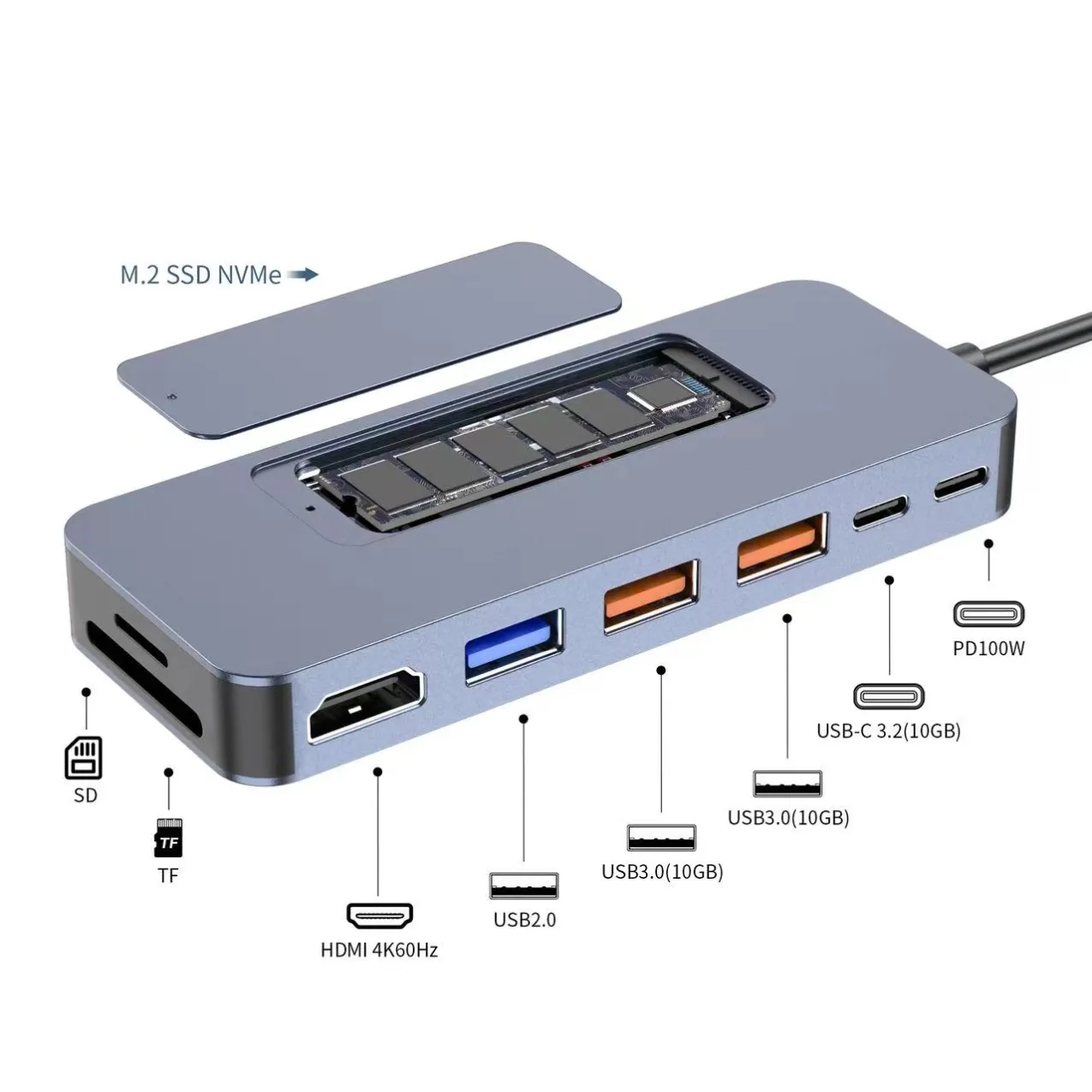
At Mattzon, we build aluminum M.2 NVMe enclosures with USB 3.2 Gen 2 10Gbps speeds, single and dual protocol support and capacities up to 8TB — plus USB-C hub-and-storage combos for creators who need both. If you are not sure which enclosure fits your market, contact our team and we will help you match the specification.