Sep 12, 2026Buying Guides
USB Cable Buying Guide: How to Choose the Right USB-C Cable
USB-C is a connector, not a speed. Learn how to match data rate, charging power, length and construction to your actual devices — and where an E-marker matters.
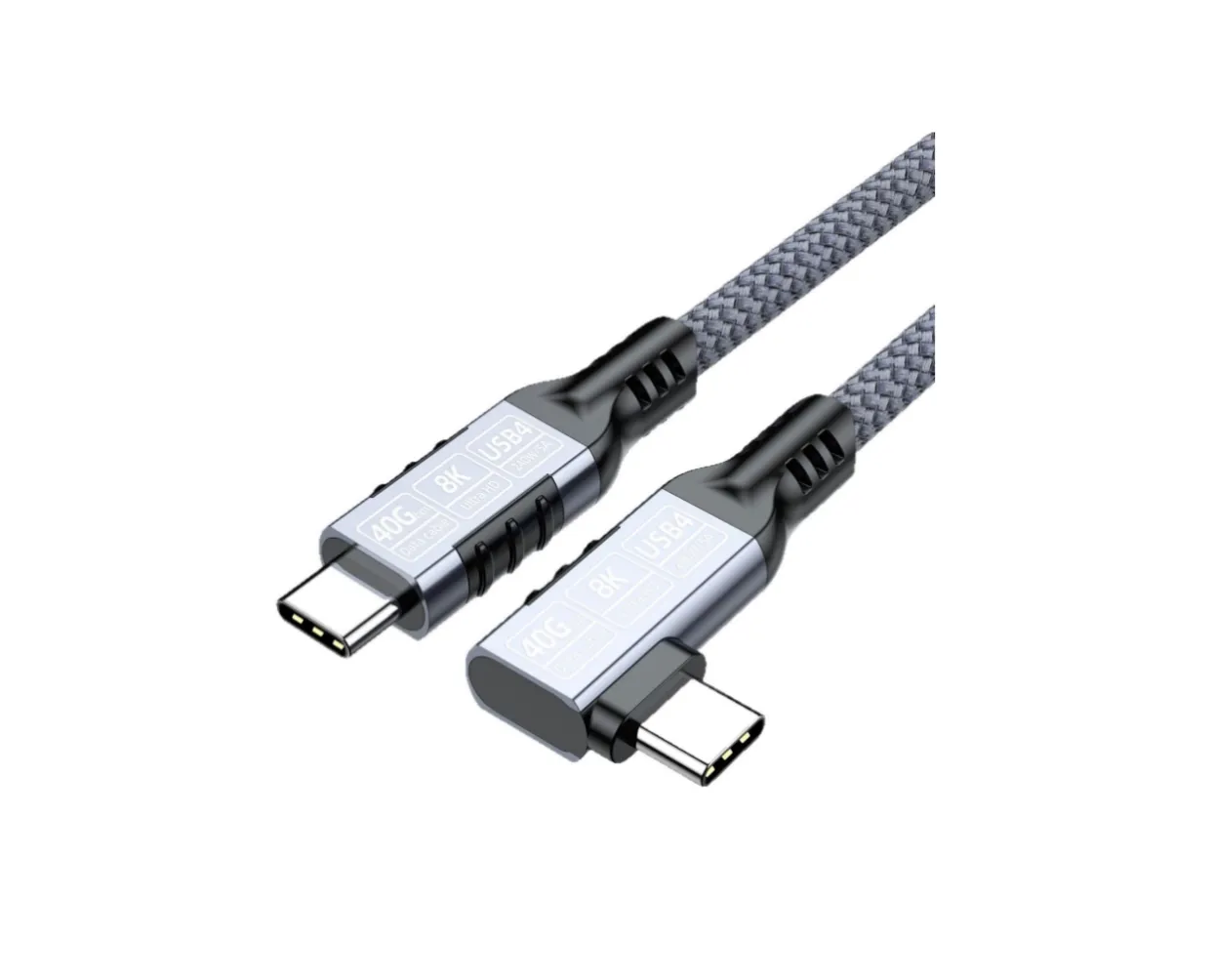
Not all USB-C cables are the same.
They may look almost identical from the outside, but one cable may only be suitable for charging while another can handle high-speed data, external displays and high-power charging. Choosing a USB cable based only on the connector can lead to disappointment.
If you are looking for a USB-C cable, here are the specifications that actually matter.
USB-C Is a Connector, Not a Speed
This is the first thing to understand: USB-C describes the physical connector. It does not automatically mean high speed, high power or video output.
A USB-C cable can support relatively basic USB functions, or it can be designed for high-speed data and high-power applications. So instead of asking "Is this a USB-C cable?", ask "What does this particular USB-C cable support?"
Check the Data Transfer Speed
If you regularly move large files, data speed matters. The USB-IF consumer-facing performance labels include USB 5Gbps, USB 10Gbps, USB 20Gbps, USB 40Gbps and USB 80Gbps.
Higher-speed cables matter for external SSDs, NVMe storage, video editing, large photo libraries, docking stations and high-performance peripherals.
But there is one rule worth remembering: the cable cannot make a slow device faster. Actual performance depends on the host, the cable and the connected device — and the slowest link sets the limit.
Charging Power Is a Separate Specification
A cable can be excellent for data and still not be the right cable for high-power charging.
Depending on the product, charging ratings include 60W, 100W, 140W, 180W and 240W. The required power depends on the device: a smartphone does not need the same cable capability as a performance laptop.
If you are buying a cable for laptop charging, check the laptop charger requirements and make sure the cable is rated to match.
Match Data Speed and Charging Power Together
This is where many USB-C cable specifications become confusing. A cable may support high-power charging but only basic data transfer, while another offers high-speed data without the highest charging rating.
If you need both, look for a cable that clearly states both specifications. A USB 40Gbps cable with high-power charging is a very different product from a basic USB-C charging cable — even though both connectors look the same.
Cable Length Can Affect Performance
Shorter is generally easier for high-speed signal transmission. As cable length increases, maintaining signal integrity becomes more challenging, particularly at higher data rates.
That is why high-speed USB cables often have specific length limits. If you need a long cable for a desk, monitor or docking station, do not assume that a longer version of a short high-speed cable will deliver identical performance.
Active and Passive USB-C Cables
Most everyday USB cables are passive: simple, reliable and cost-effective for short connections.
For longer high-speed runs, active cable designs use electronics to maintain signal performance over greater distances. The right choice depends on the data rate, cable length, device compatibility, power requirements and cost target.
Do Not Ignore the Internal Construction
Two cables can look identical outside but differ inside: conductor size, copper quality, the number of signal pairs, shielding, connector quality, insulation, braiding and strain relief all matter.
For high-speed applications, the cable must maintain signal integrity, not simply carry power. For charging cables, conductor size and resistance matter most. And for products that are plugged and unplugged daily, connector durability becomes part of the buying decision.
What Is an E-Marker?
Some higher-performance USB-C cables include an electronic marker chip, called an E-marker. It tells the connected system what the cable can do.
An E-marker matters for cables designed for higher power and advanced USB-C applications. But the term on a product page does not by itself guarantee performance — always check the complete cable specification.
Match the Cable to the Job
For phone charging: a standard USB-C cable with a suitable power rating is enough.
For laptops: match the charging power and a data rate suitable for your peripherals.
For external SSDs: prioritise data speed — if the SSD supports 20Gbps or higher, choose a cable that can match it.
For USB-C docks: data, display and charging all come into play, so a higher-specification cable is the safer choice.
For high-performance workstations: look at the complete combination of data speed, power delivery, length and compatibility.
A Simple USB-C Cable Buying Checklist
Connector: USB-C to USB-C, USB-C to USB-A, or the adapter you actually need.
Data speed: 5, 10, 20, 40 or 80Gbps — match your device, not the marketing.
Charging power: check the wattage your device really draws.
Length: measure your actual setup before buying.
E-marker: expected on high-power and high-performance cables.
Construction: conductors, shielding, connectors and strain relief.
Compatibility: laptop, phone, dock, SSD, monitor — check them all.
The Most Expensive Cable Is Not Always the Best
It is easy to overbuy. If you only need to charge a phone, a premium 40Gbps or 80Gbps cable offers little practical benefit.
On the other hand, connecting a high-speed SSD to a modern workstation over a basic charging cable creates a real bottleneck.
The best cable is the one that matches the actual requirements of your equipment.
Final Thoughts
USB-C has made connectors more convenient — and cable selection more complicated.
When choosing a USB-C cable, look beyond the connector: check data speed, charging power, length, construction and compatibility. For demanding applications, make sure the cable, host and device are designed to work together.
At Mattzon, we develop USB-C cables for different applications — from everyday charging and data transfer to high-speed USB4 connectivity and high-power charging. If you are unsure which cable fits your product line, contact our team and we will help you match the right specification.